Create on your phone
Design custom routines in the PlungePalz app with Premium. Name your routine, set each step, and choose timers and temperatures for cold plunge, sauna, transitions, and more.
Build custom contrast therapy routines in the PlungePalz app and run them seamlessly from your Garmin or Apple Watch — step by step, right from your wrist.
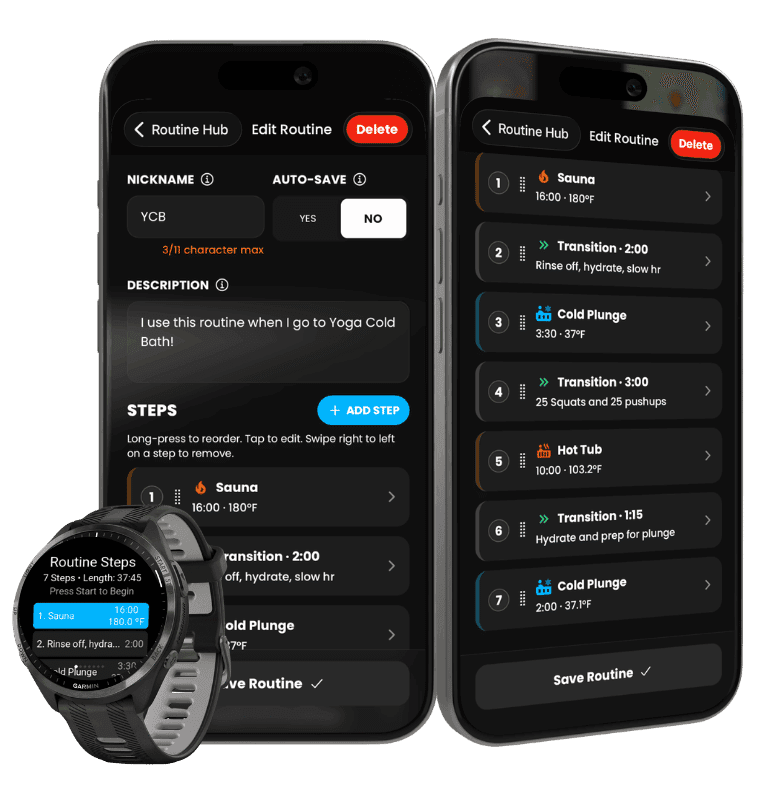
Routines let you chain together multiple activities — like a cold plunge, a transition rest, and a sauna — into one guided smartwatch experience. The workflow is the same on Garmin and Apple Watch; Apple Watch also supports Water Lock during wet sessions.
Plan once on your phone. Follow the full sequence on your watch.
Design custom routines in the PlungePalz app with Premium. Name your routine, set each step, and choose timers and temperatures for cold plunge, sauna, transitions, and more.
Your routines appear on your Garmin or Apple Watch automatically. Open the PlungePalz watch app, tap your routine, and hit Start.
The watch walks you through a Get Ready countdown, each modality step, and transition periods between activities — keeping you on pace from start to finish.
Each modality step saves to your PlungePalz profile with heart rate and session data. When you finish, see a full recap of every step — saved, pending, or skipped.
The routine experience is the same on both platforms. Choose your watch to see how it works.
 Garmin Connect IQ
See how to start a routine on your Garmin watch, move through each step, and complete your full contrast therapy session from your wrist.
Get Garmin Connect IQ App Apple Watch
The same routine workflow on Apple Watch — plus Water Lock support to help prevent accidental taps during cold plunges.
Learn more about Apple WatchCreate Routines™ is a PlungePalz™ Premium feature. Upgrade in the app, design your routine on your phone, and sync it to your smartwatch.